ExtractIQ

How MVSD Uses Its Digital Library to Access Historical Records Instantly

This walkthrough shows how the Mahoning Valley Sanitary District (MVSD) uses its SharePointbased digital library to find, navigate, and work with decades of engineering, financial, legal, and public records — all organized for fast access.

  • Simple, intuitive access to historical documents
  • Clear structure across all record types
  • Fast search with filters and metadata
  • Consistent experience for all staff

See how it works

You provide access. We take care of everything else.

A Century of Records, Scattered Across Systems

MVSD manages critical water infrastructure and maintains decades of engineering, financial, and legal documentation. Before the digital library, records were stored across paper archives, network drives, and legacy systems — making it difficult for staff to quickly find the information they needed.

  • Paper records vulnerable to loss
  • Inconsistent folder structures
  • Slow search across multiple systems
  • Heavy reliance on institutional memory

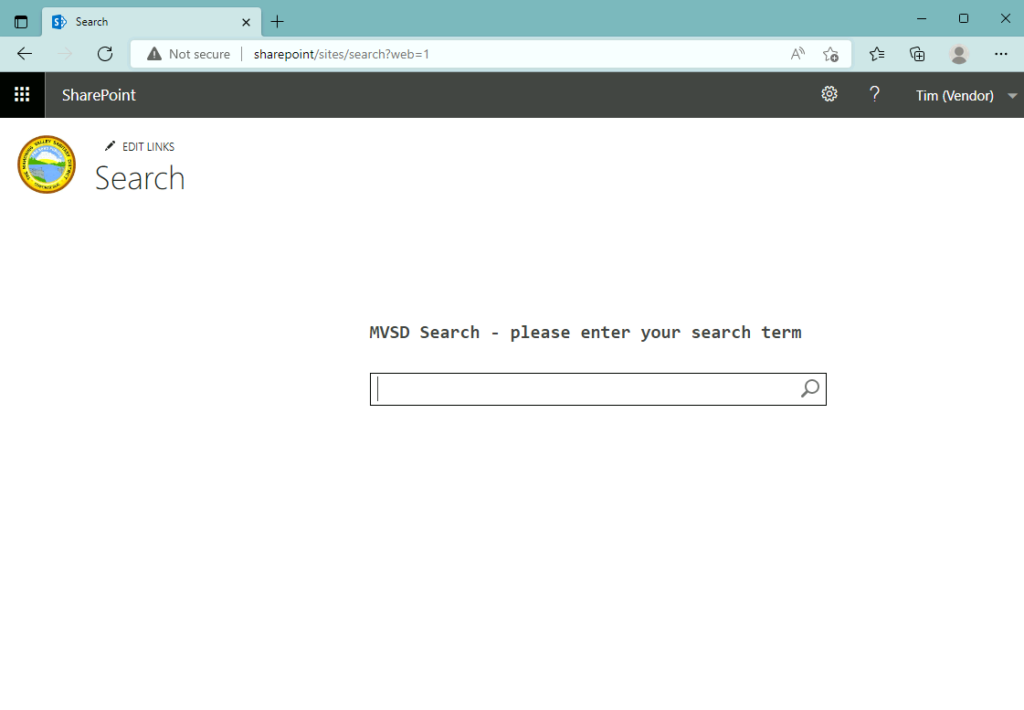
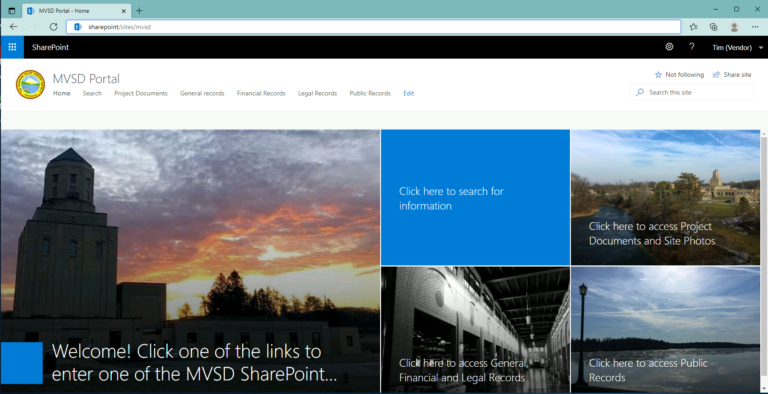
A Simple, Intuitive Entry Point

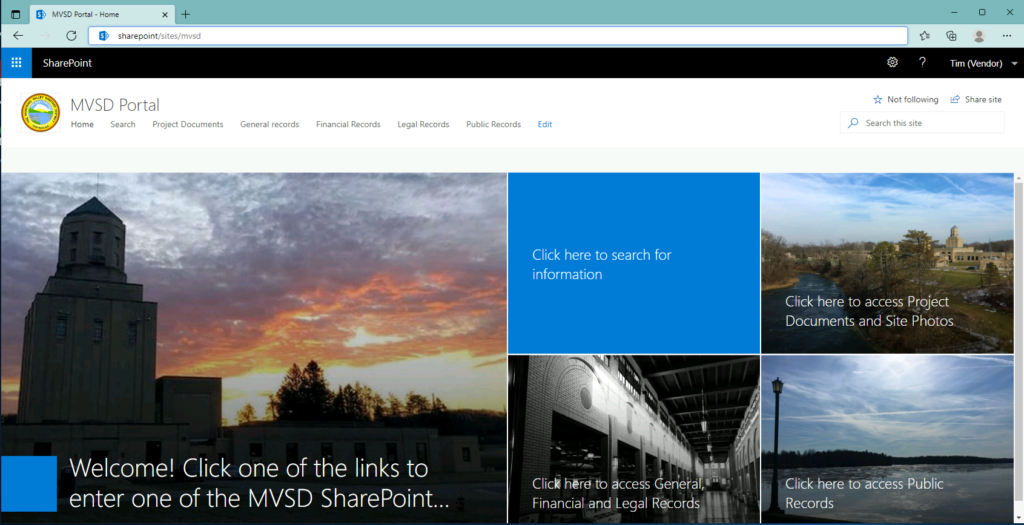
The MVSD Portal provides a clean starting point for all users. From here, staff can access project documents, general records, 
financial and legal files, and public records — or jump directly into the search interface.

  • Portal tiles for each major library
  • Top navigation for quick access
  • MVSD logo returns users to the home screen
  • Designed for nontechnical users

A Structure That Mirrors How MVSD Works

Project Documents

Organized by contract number, with Record Drawings and Project Records grouped for each project

General Records

Organized by subject matter — pumps, insurance, original plans, and more.

Legal Records

Grouped by legal topic, such as opinions and case files.

HR Records

Employee related documentation, visible only to authorized staff.

Financial Records

Organized by category — statements, purchase orders, and historical financial documents.

Public Records

Board resolutions and other publicfacing documents, grouped by decade.

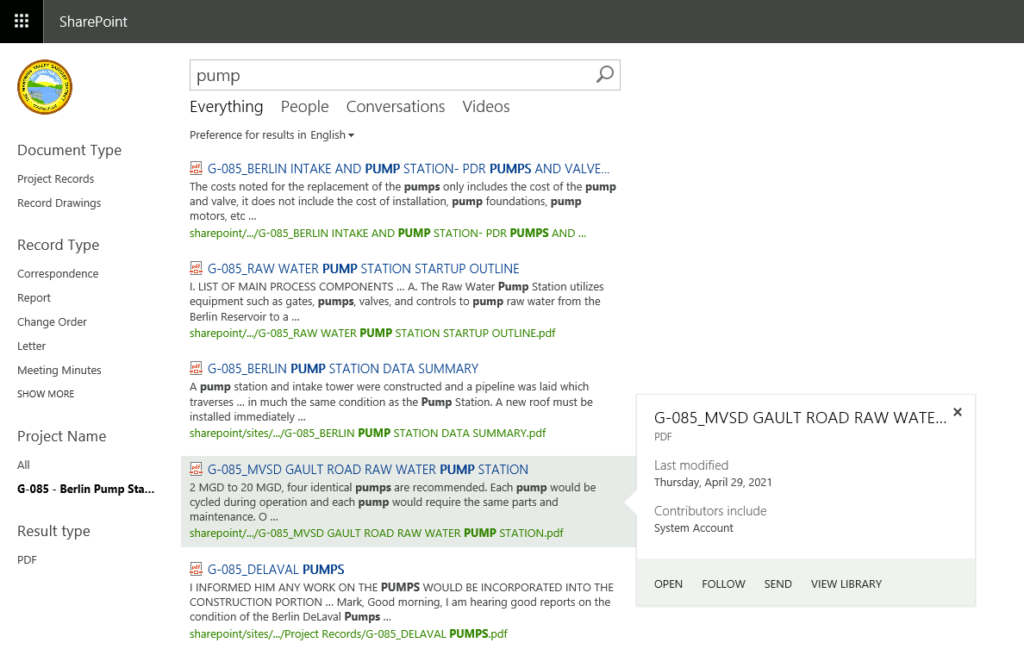
Search Like Google — But Across MVSD’s Entire History

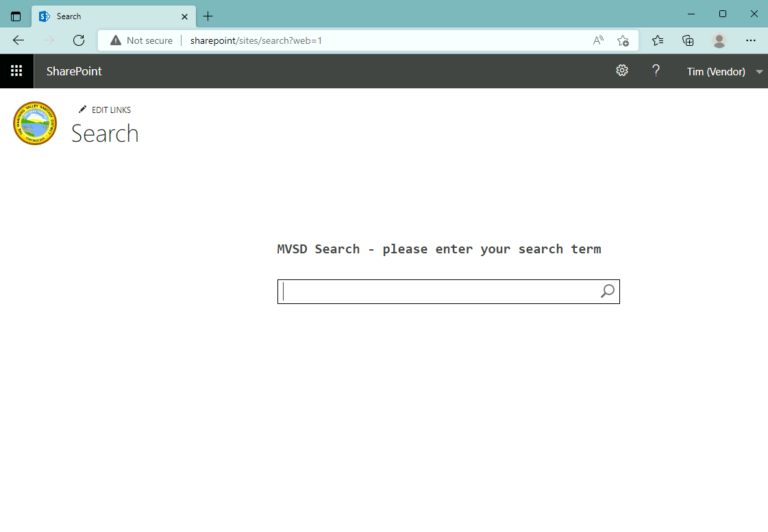
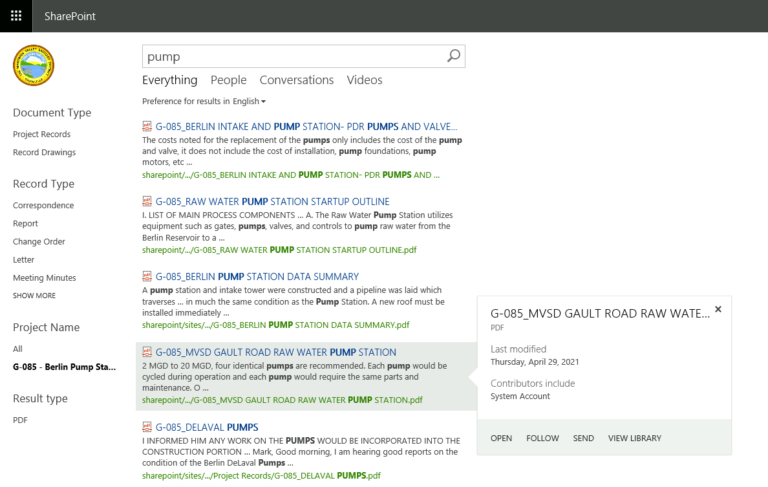
Users simply type a keyword, and SharePoint searches the contents of documents, filenames, and metadata. Results include a preview, file location, and document type.

  • Searches inside PDFs and scanned documents
  • Shows document type and record category
  • Hover for more details
  • Works across all MVSD libraries

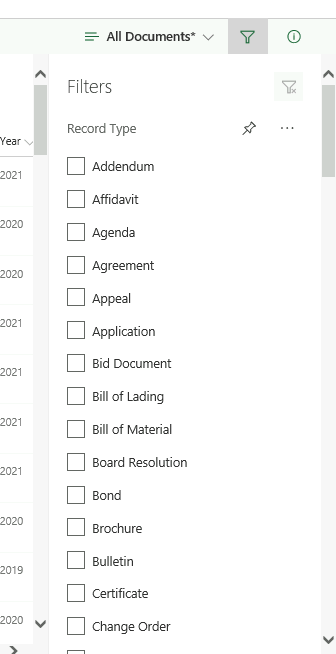
Powerful Filters for Faster Discovery

Users can refine results using filters such as Record Type, Year, Document Category, and more — similar to an online shopping experience.

  • Multiselect filters
  • Realtime narrowing of results
  • Ideal for large project libraries
  • Helps new staff find information without prior knowledge

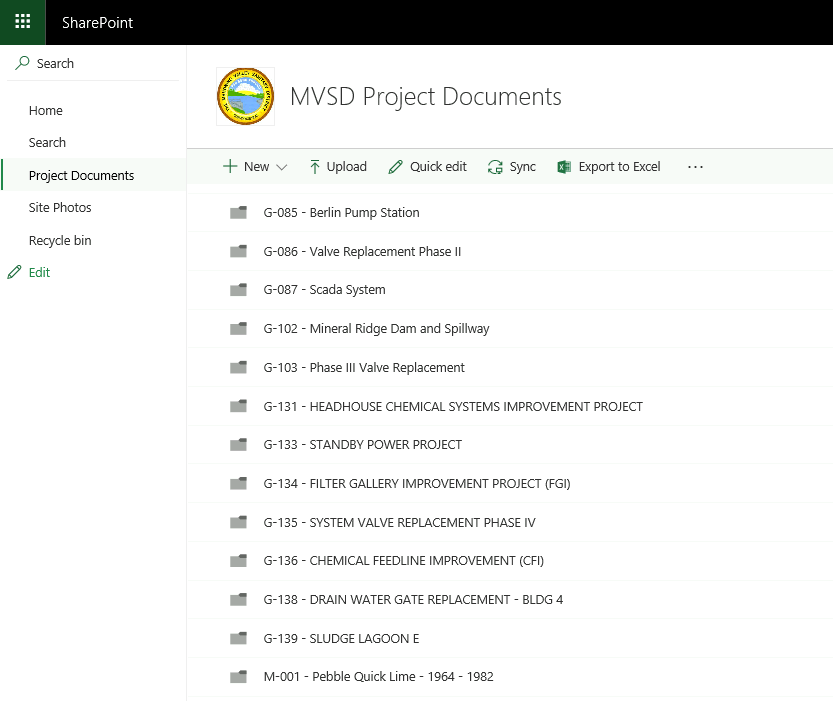
Folders Organized for Clarity and Speed

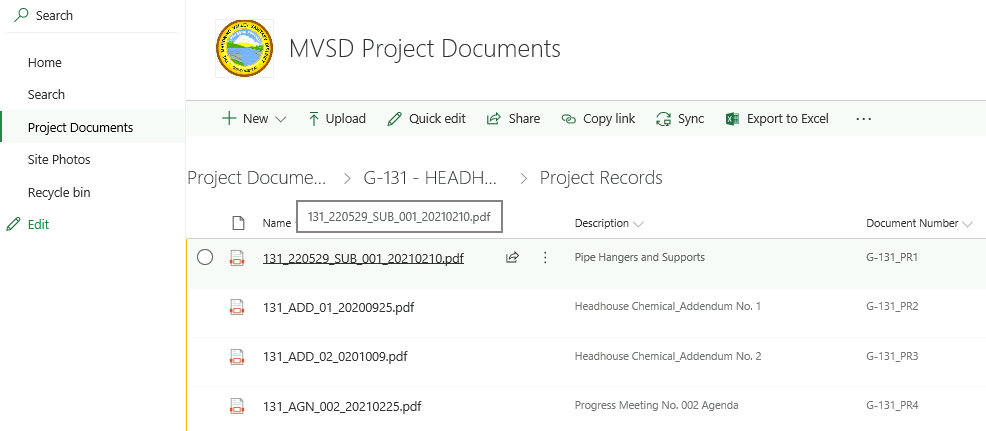
Users can browse folders just like a traditional file system — but with consistent naming, clear categories, and metadata that makes navigation predictable.

  • Click folders to drill down
  • Breadcrumbs show where you are
  • “Home” returns to the portal
  • “Search” jumps to global search

Everything You Need to Understand a Document

Once a document is selected, users see a clean grid with filename, description, document number, and metadata. Additional commands allow sharing, copying links, or viewing details.

  • Click to open any document
  • “i” icon shows full metadata
  • Share links with colleagues
  • Filter within the folder

A Digital Library That Supports Daily Operations

Faster access to project records

Access records instantly and keep projects moving.

Reduced time spent searching

Find what you need faster across all records.

Improved accuracy of historical information

Keep records consistent across every team.

Better onboarding for new staff

Help new staff get up to speed quickly.

Protection of historical paper archives

Protect and preserve important historical records.

Reliable access during emergencies

Access critical records when it matters most.

We Help Organizations Preserve and Activate Their History

ExtractIQ doesn’t just configure SharePoint — we help organizations capture, organize, and activate decades of historical records so teams can make better decisions with confidence

1.
2.
3.

Capture

Paper archives, scans, network
drives, and legacy systems

Organize

A structured digital library with
meaningful categories and metadata.

Activate

An AI chatbot that answers questions
using your own historical records.

Ready to Unlock the Value in Your History?

Start with a Digital History Assessment and see how your records can become a living digital asset.

Contact us